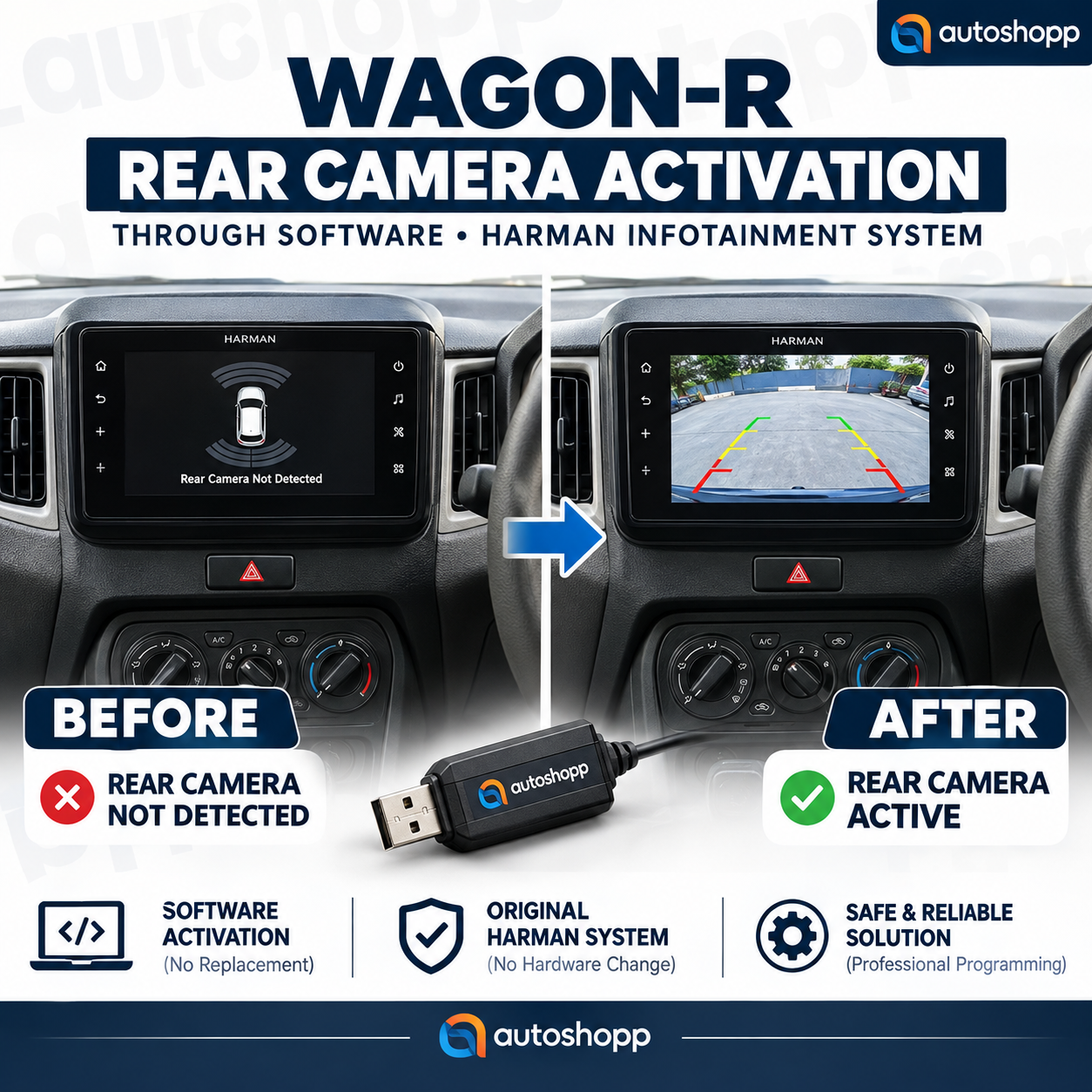
Wagon-R Rear Camera Activation Through Software (Harman Infotainment System)
Overview
Does your Maruti Suzuki Wagon-R feature an OEM factory-fitted 7-inch Harman SmartPlay Studio touchscreen, but fails to show the reverse video feed when you engage reverse gear?
In many factory setups, even after connecting an OEM or aftermarket rear camera harness, the display only shows a parking sensor graphic outline because the camera feature remains blocked at the software level. This Software-Based Rear Camera Activation Solution unlocks the factory rear camera function seamlessly via USB—with zero wire cutting and zero tampering with the original head unit.
Key Highlights
- 100% Plug & Play (Zero Wire Cut): Keeps your vehicle’s factory wiring harness and OEM warranty completely intact.
- Tailored for Harman Systems: Engineered specifically for the OEM 7-inch Harman SmartPlay Studio units found in Maruti Suzuki vehicles.
- Resolves Blocked Camera Screens: Removes the static sensor error screen and enables an instant, clear live reverse camera display.
- Simple USB Flash Method: No costly diagnostic tools or dealership scanner required; updates easily using a standard FAT32 USB drive.
- Parking Guidelines Integration: Fully supports clear parking assistance guidelines alongside active reverse sensor visuals.
Step-by-Step Activation Guide
- Format USB Drive: Format a standard 8GB/16GB USB drive to FAT32 and place the activation firmware files into the root directory.
- Connect to Unit: Turn the vehicle ignition on, let the infotainment unit boot up, and insert the USB drive into the car’s factory USB port.
- Enter Dealer / Service Mode: Press and hold the Mute button followed by the Settings (Gear) button until the service diagnostic screen appears.
- Trigger the Update: Wait roughly 30–40 seconds while the unit reads the drive until the Software Version button turns clickable. Tap it to start the firmware flash.
- System Reboot: Do not turn off the ignition or unplug the USB drive during the process. The unit will transfer the files and automatically reboot with the Suzuki splash logo.
- Verification: Once rebooted, engage reverse gear—the screen will instantly switch to the live rear camera feed.
Compatibility
- Vehicle: Maruti Suzuki Wagon-R (Compatible SmartPlay Studio trims)
- Infotainment Model: Factory-fitted 7-Inch Harman Touchscreen System
- Prerequisite: Compatible OEM-spec or aftermarket rear camera harness properly wired to the unit.
What’s Included
- Verified Harman Camera Activation Firmware (Secure Download / Optional Pre-loaded USB)
- Complete Installation Instruction Guide
- Dedicated WhatsApp / Call Technical Support
Reviews
There are no reviews yet