Product Title
Maruti Suzuki OEM Reverse Camera Retention Adapter for Aftermarket Android Stereos (Plug & Play)
Short Description
Upgrade to a modern Android player without losing your factory-fitted reverse camera. This premium adapter by AutoShopp allows you to connect your original Maruti Suzuki reverse camera to any aftermarket stereo seamlessly. No wire cutting, no splicing—just plug and play.
Detailed Product Description
Don’t compromise on safety or convenience when upgrading your car’s infotainment system.
Many Maruti Suzuki owners face a common problem: installing a new Android stereo usually means the high-quality, factory-installed reverse camera stops working. This is because OEM cameras run on 6V, while aftermarket stereos output 12V. Connecting them directly can burn out your camera.
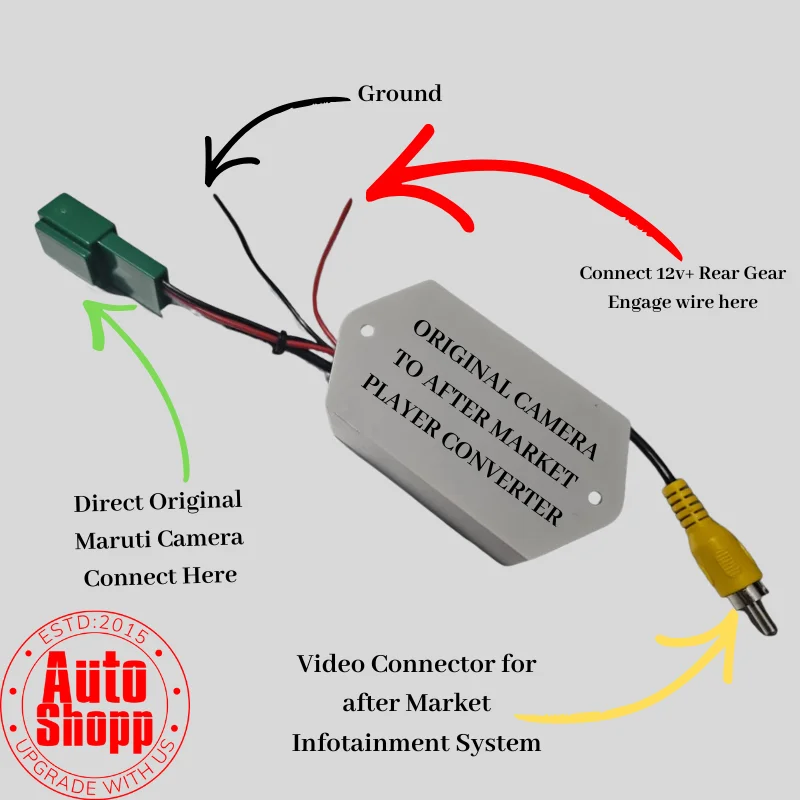
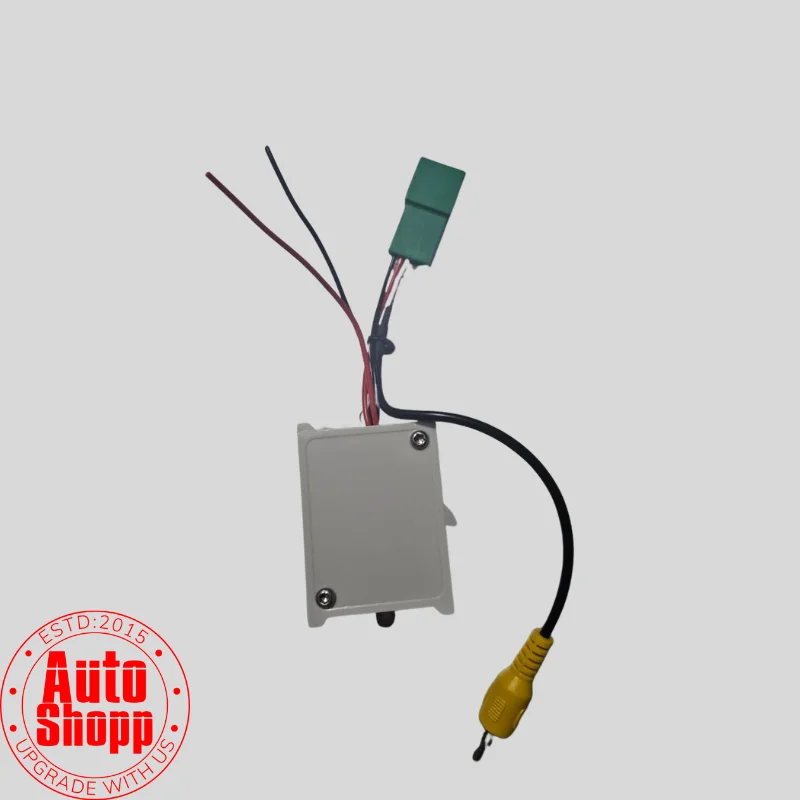
The AutoShopp OEM Camera Adapter is the perfect solution. It features a built-in step-down converter and a factory-compatible coupler that bridges the gap between your car’s original wiring and your new stereo.
Key Features:
Retain Original Camera: Keep using your high-clarity factory reverse camera with any new Android or aftermarket head unit.
Built-in Voltage Step-Down (12V to 6V): Protects your factory camera from damage by automatically converting the 12V reverse trigger from the stereo to the safe 6V required by Maruti cameras.
Zero Wire Cutting: Designed with OEM-grade couplers that plug directly into your car’s existing harness. This ensures your car’s warranty remains intact.
Crystal Clear Video: High-quality shielding prevents video noise or interference, ensuring a sharp view while parking.
Easy Installation: Simple plug-and-play design suitable for DIY enthusiasts and professional installers.
Technical Specifications:
Connector Type: Maruti Suzuki OEM 5-Pin Coupler (Male to Female/RCA)
Input Voltage: 12V DC (From Reverse Light/Stereo)
Output Voltage: 6V DC (To Factory Camera)
Video Output: Standard Yellow RCA Male Plug
Vehicle Compatibility:
Compatible with most Maruti Suzuki models equipped with a factory touchscreen system (SmartPlay Studio/Pro), including:
Baleno (Alpha / Zeta)
Vitara Brezza
Ciaz
S-Cross
Ertiga / XL6
Ignis
Dzire (Top Variants)
Installation Guide (Quick Note for Buyers)
Connect the 5-pin socket to the car’s factory camera harness behind the dashboard.
Plug the Yellow RCA cable into the “CAM-IN” or “Rear Camera” port of your Android stereo.
Connect the Red Wire to the “Reverse / Back” trigger wire on the stereo harness.
Connect the Black Wire to the stereo body or Ground (GND).



good product ,solved purpose